Cybersecurity Essentials Every SMB Needs

Nadia Patel
April 27, 2026 · 6 min read
Small and mid-sized businesses are the primary targets of cyberattacks in 2026 — not because they have the most valuable data, but because they typically have the weakest defenses. Attackers know that SMBs often lack dedicated security staff, run outdated systems, and underestimate their risk.
The statistics are sobering: over 60% of small businesses that suffer a significant cyberattack go out of business within six months. But the good news is that implementing fundamental cybersecurity essentials doesn’t require an enterprise budget. Here’s what every SMB needs to have in place.
1. Multi-Factor Authentication (MFA) Everywhere
If you implement only one security improvement this year, make it MFA. Multi-factor authentication requires users to verify their identity with something beyond just a password — typically a code from a mobile app or a hardware security key.
MFA blocks over 99% of automated credential attacks. Without it, a single compromised password gives an attacker full access to your email, files, and business applications.
Where to enable MFA:
– Microsoft 365 / Google Workspace (all users, no exceptions)
– VPN and remote access
– Banking and financial applications
– Line-of-business applications
– Administrative consoles for all IT systems
Important: SMS-based MFA is better than nothing, but authenticator apps (Microsoft Authenticator, Duo) or hardware keys (YubiKey) are significantly more secure. SMS codes can be intercepted through SIM-swapping attacks.
2. Endpoint Detection and Response (EDR)
Traditional antivirus software is no longer sufficient. Modern threats use fileless malware, living-off-the-land techniques, and AI-generated attacks that slip past signature-based detection.
Endpoint Detection and Response (EDR) monitors device behavior in real time, detects suspicious activity patterns, and can automatically isolate compromised machines before an attack spreads. Think of it as the difference between a smoke detector (antivirus) and a 24/7 security team watching live camera feeds (EDR).
Every workstation, laptop, and server in your organization should have EDR installed and monitored. If no one is watching the alerts, the tool is just generating noise.
3. Email Security and Phishing Protection
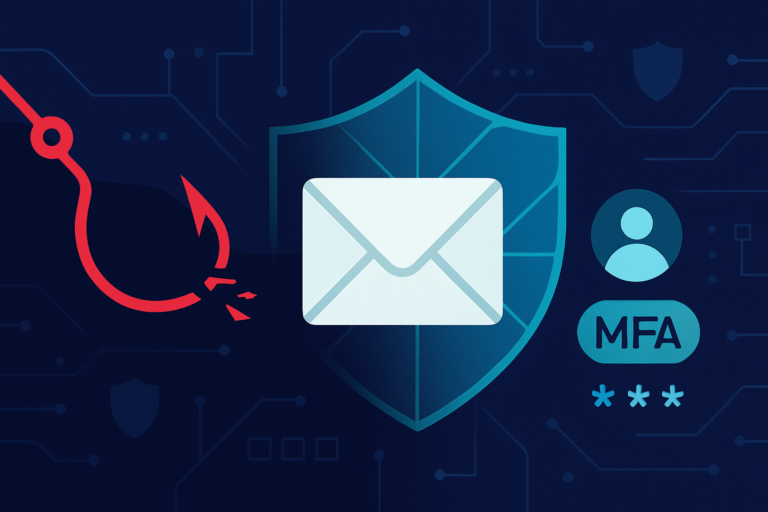
Email remains the #1 attack vector for SMBs. Phishing emails have become remarkably sophisticated — AI-generated messages now mimic writing styles, reference real projects, and create urgency that tricks even cautious employees.
Essential email security measures:
– Advanced spam and phishing filtering that goes beyond basic spam blocking
– Link and attachment sandboxing that detonates suspicious content before it reaches users
– DMARC, DKIM, and SPF records properly configured to prevent email spoofing of your domain
– User awareness training with regular simulated phishing tests
– Reporting mechanisms that make it easy for employees to flag suspicious emails
4. Regular Patching and Update Management
Unpatched software is one of the easiest vulnerabilities for attackers to exploit. When Microsoft, Adobe, or any other vendor releases a security patch, the clock starts ticking — attackers reverse-engineer the patch to find the vulnerability and target organizations that haven’t updated yet.
Patching best practices:
– Patch critical vulnerabilities within 48 hours of release
– Establish a regular patching schedule for non-critical updates (weekly or bi-weekly)
– Don’t forget firmware updates on firewalls, switches, and access points
– Retire end-of-life software that no longer receives security updates
– Test patches in your environment before broad deployment when possible
5. Backup and Recovery That Actually Works
Ransomware attacks against SMBs are relentless. The attackers’ entire business model depends on your willingness to pay because you can’t recover any other way. A robust backup strategy removes their leverage.
The 3-2-1 backup rule:
– 3 copies of your data
– 2 different storage media
– 1 copy offsite or in the cloud
Critical additions for 2026:
– Immutable backups that cannot be encrypted or deleted by ransomware, even with admin credentials
– Tested recovery — perform a full restore test at least quarterly
– Defined recovery time objectives (RTO) — know how long restoration takes and whether your business can survive that downtime
6. Network Security Fundamentals
Your network is the backbone connecting everything in your organization. A compromised network gives attackers access to every device and system connected to it.
Essential network security:
– Business-grade firewall with intrusion detection/prevention (IDS/IPS) — not a consumer router
– Network segmentation — separate guest Wi-Fi, IoT devices, and critical business systems onto different network segments
– DNS filtering to block access to known malicious domains
– VPN or zero-trust network access (ZTNA) for remote workers
– Regular vulnerability scanning to identify weaknesses before attackers do
7. Security Awareness Training
Your employees are simultaneously your greatest vulnerability and your strongest potential defense. Technical controls can’t stop an employee from willingly entering credentials on a phishing site or sending wire transfers based on a spoofed email from the “CEO.”
Effective training programs include:
– Monthly or quarterly training modules (short, focused, and relevant)
– Regular simulated phishing exercises with constructive follow-up
– Clear policies for handling sensitive data, verifying requests, and reporting incidents
– Special training for high-risk roles (finance, HR, executives)
– A culture that rewards reporting rather than punishing mistakes
8. Incident Response Planning
When (not if) a security incident occurs, the speed and quality of your response determines whether it’s a minor disruption or a business-ending catastrophe.
Your incident response plan should cover:
– Who to contact first (internal team, IT provider, legal counsel, cyber insurance carrier)
– How to contain the incident (isolate affected systems, disable compromised accounts)
– Communication procedures (who informs staff, clients, and regulators)
– Evidence preservation for investigation and potential law enforcement involvement
– Post-incident review to prevent recurrence
Don’t wait until you’re in crisis to figure this out. Document the plan, distribute it to key personnel, and review it at least annually.
9. Cyber Insurance
Cyber insurance has become essential for SMBs. A comprehensive policy covers breach response costs, legal fees, regulatory fines, business interruption, and ransomware payments (though paying ransoms should be a last resort).
Important notes about cyber insurance in 2026:
– Insurers now require specific security controls (MFA, EDR, backups) before issuing policies
– Premiums have stabilized but remain dependent on your security posture
– Read the exclusions carefully — not all policies cover the same scenarios
– Your IT provider should be able to help you complete the security questionnaire accurately
10. Regular Security Assessments
Cybersecurity isn’t a “set it and forget it” project. Threats evolve, your environment changes, and yesterday’s secure configuration may be tomorrow’s vulnerability.
Schedule these regularly:
– Vulnerability scans — quarterly (minimum)
– Penetration testing — annually for regulated industries, every 1–2 years otherwise
– Security policy reviews — annually
– Access audits — quarterly (who has access to what, and should they still?)
Building Your Cybersecurity Foundation
You don’t need to implement everything overnight. Start with the highest-impact items — MFA, EDR, backups, and email security — and build from there. The goal is continuous improvement, not perfection on day one.
At Brightworks IT, we help small and mid-sized businesses across the Northeast build layered cybersecurity defenses that match their risk profile and budget. From initial assessments to ongoing monitoring and incident response, our team provides the expertise that most SMBs can’t staff internally.
Ready to strengthen your cybersecurity posture? Contact Brightworks IT for a security assessment.
How BrightWorks IT can help
Local IT support from our offices in Richmond, VA, Vernon & Hartford, CT, Hudson Valley, NY, Oneonta, NY, Southeast Michigan, Southern California.
Need Help With Your IT?
Schedule a free, no-obligation IT assessment with our team. We'll show you exactly where your technology stands.
Written by
Nadia Patel
Nadia covers cybersecurity, cloud infrastructure, and IT strategy for growing businesses. With a background in enterprise technology and a passion for clear communication, she helps business leaders understand the technology decisions that matter most.